How to Download the Maxim88 App on Android & iOS
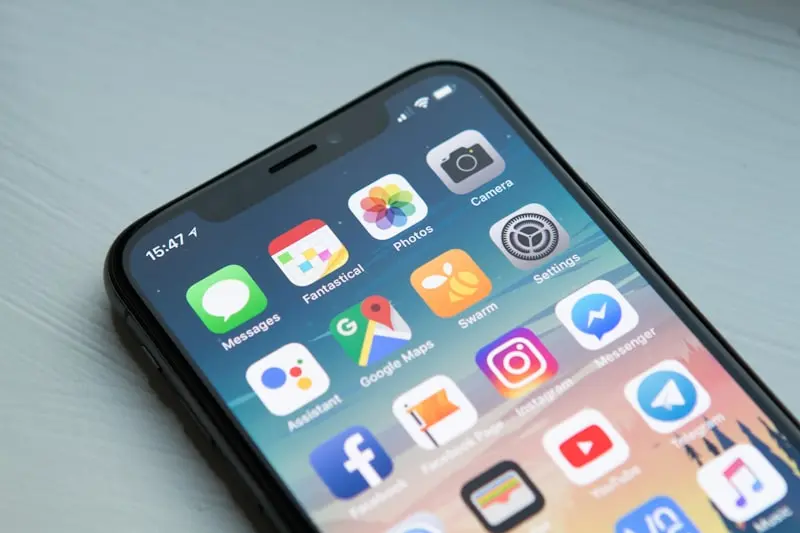
Maxim88 Mobile App Overview
The Maxim88 mobile app brings the full casino experience to your smartphone. You get access to all games — baccarat, slots, live casino, sports betting, fishing games — plus full account management, deposits, withdrawals and promotions. The app is optimised for Malaysian mobile networks and runs smoothly on both Android and iOS devices.
Mobile play has become the dominant way Malaysians access online casinos. Whether you're on Maxis, Celcom, Digi or U Mobile, the Maxim88 app is built to handle variable connection speeds without dropping your live baccarat hand mid-game. The interface adapts to screen sizes from compact 5-inch Android phones all the way to iPad-sized tablets, keeping all betting controls within thumb reach.
App Advantages
- Full game library on mobile
- Faster deposits via DuitNow/TNG
- Push notifications for promotions
- Touch ID / Face ID login
- Optimised for mobile data use
App Limitations
- Android requires manual APK install
- iOS may require web app approach
- Older Android (<5.0) not supported
Android App Download — Step by Step
-
Step 1 — Enable Unknown Sources
Because Maxim88 distributes its Android app as an APK (not via Google Play Store), you must allow installation from unknown sources first.
- Go to Settings on your Android phone
- Tap Security (or Privacy on newer Android)
- Enable Install Unknown Apps or Unknown Sources
- For Android 8.0+: allow your browser app specifically
Path: Settings → Security → Install Unknown Apps (Android 8+) or Settings → Security → Unknown Sources (older Android). Toggle to ON for your browser app. -
Step 2 — Visit Maxim88 and Download the APK
Open Chrome on your Android device and navigate to the Maxim88 website. Look for the Download App button or banner — usually prominently displayed on the homepage. Tap it and the APK file will begin downloading.
-
Step 3 — Install the APK
Once downloaded, tap the notification or open your Downloads folder. Tap the Maxim88 APK file. Tap Install on the prompt. Installation takes 20–40 seconds.
Install prompt: Android will show "Do you want to install this app?" — tap Install. If you see a warning about unknown sources, tap Settings and enable it for your browser, then return and install. -
Step 4 — Open and Log In
Find the Maxim88 icon on your home screen. Open it, log in with your existing credentials, or tap Register to create a new account directly from the app.
iOS App Download — Step by Step
Due to App Store restrictions, Maxim88 may not have a dedicated iOS app available in the Malaysian App Store. iOS users have two options:
Option A: Search the App Store
- Open the App Store on your iPhone
- Search for Maxim88
- If available, tap Get to download
- Open the app and log in or register
Option B: Use the Mobile Web App (Recommended for iOS)
- Open Safari on your iPhone
- Navigate to the Maxim88 website — the site is fully mobile-optimised
- Tap the Share button (square with arrow icon) at the bottom of Safari
- Select Add to Home Screen
- Tap Add — the Maxim88 icon now appears on your home screen
- Open it from the home screen for a full-screen app experience
System Requirements
| Platform | Minimum OS | Recommended | Storage Required |
|---|---|---|---|
| Android | Android 5.0 (Lollipop) | Android 9.0+ | ~80MB |
| iOS (App) | iOS 12 | iOS 15+ | ~60MB |
| iOS (Web) | Safari iOS 12 | Safari iOS 15+ | No storage needed |
Deposits and Withdrawals on the Maxim88 App
One of the clearest advantages of using the app over a desktop browser is how seamlessly it integrates with Malaysian e-wallets and instant banking. Here is a breakdown of what works best on mobile:
| Payment Method | Mobile Experience | Typical Processing Time | Notes |
|---|---|---|---|
| DuitNow QR | Excellent — scan within app | Instant | Works with all major Malaysian banks |
| Touch 'n Go eWallet | Excellent — deep link redirect | Instant | Popular among younger players |
| Boost | Good — browser redirect | Instant | Handy if TNG is unavailable |
| Online Banking (FPX) | Good — opens bank app directly | Instant | Maybank2U, CIMB Clicks, RHB Now supported |
| Cryptocurrency | Good — copy wallet address | 10–30 minutes | Check current supported coins on site |
When depositing via DuitNow QR from the app, the QR code displays natively inside the Maxim88 app screen. You switch to your banking app, scan, confirm, then switch back — the deposit is reflected almost immediately. This flow is significantly smoother on mobile than on desktop, where you would need to screenshot the QR code first.
App vs Mobile Browser vs Desktop — Which Is Best?
| Feature | Native/Web App | Mobile Browser | Desktop Browser |
|---|---|---|---|
| DuitNow / TNG Deposits | ✅ Seamless | ✅ Good | ⚠️ QR screenshot needed |
| Touch ID / Face ID Login | ✅ Yes | ❌ No | ❌ No |
| Push Notifications | ✅ Yes | ❌ No | ❌ No |
| Live Casino Streaming | ✅ Optimised | ✅ Good | ✅ Best on fast connection |
| Sports Betting Odds Updates | ✅ Real-time | ✅ Real-time | ✅ Real-time |
| Screen Real Estate (tables) | ⚠️ Smaller | ⚠️ Smaller | ✅ Largest |
The app wins for convenience and payment integrations. Desktop wins for prolonged live dealer sessions where seeing the full baccarat table layout matters. For sports betting — especially during Malaysian Super League or EPL matches — the app is ideal because you can check live odds and place in-play bets from anywhere.
Troubleshooting Common App Issues
APK download fails or file is corrupted
This usually happens on slower mobile data. Switch to WiFi, clear your browser cache, then retry the download from the official Maxim88 homepage. Do not resume a partial download — delete it and start fresh.
App crashes on launch (Android)
Force-stop the app via Settings → Apps → Maxim88 → Force Stop. Then clear the app cache (not data, to preserve your login). Restart your phone and reopen. If the problem persists, uninstall and reinstall the latest APK from the official site, as your version may be outdated.
iOS web app loses session after phone restart
Safari Progressive Web Apps (PWAs) store session data locally. If your iPhone is set to clear website data on restart (Settings → Safari → Advanced → Website Data), re-enable "Keep Until I Remove" for cookies. This keeps your Maxim88 session active across restarts.
Live casino video stutters
Live dealer games stream HD video continuously. On 4G, allocate at least 5 Mbps for stable play. If your connection is congested, switch from a crowded WiFi network to your mobile data, or vice versa. Closing background apps that use bandwidth (YouTube, social media) also helps noticeably.
Sports Betting on the Maxim88 App — Malaysian Context
Sports betting is one of the most-used features of the Maxim88 app among Malaysian players. The app covers:
- Malaysian Super League (MSL) — domestic football with Johor Darul Ta'zim, Selangor FC and others
- English Premier League — the most bet-on league in Malaysia; odds update in real time
- Champions League & Europa League — European club competitions with Asian Handicap markets
- Badminton — BWF World Tour and Thomas Cup events, popular given Malaysia's strong tradition
- Formula 1 — race winner, podium and constructor markets
Asian Handicap betting is the dominant format used by Malaysian punters. The app displays both Asian Handicap and 1X2 odds side by side. In-play betting on EPL matches is available from kick-off to final whistle, with odds refreshing every few seconds. Bet slips accumulate in a persistent cart so you can browse different markets and submit all selections at once.
Frequently Asked Questions
Yes, provided you download it exclusively from the official Maxim88 website. The APK is the same file distributed to all Android users. Samsung phones running One UI and Xiaomi phones running MIUI both install it without issues on Android 8.0 and above. MIUI users may see an extra MIUI security prompt — tap "Install Anyway" to proceed.
On Android 8.0 and above, the permission is granted per app (your browser), not system-wide. Once Maxim88 is installed, you can go back to Settings → Apps → Chrome → Install Unknown Apps and toggle it back to OFF. This is best practice — only grant the permission when needed for a trusted APK.
Yes. Your Maxim88 account is not device-specific. You can log in on the Android app in the morning and continue on a desktop browser in the evening using the same username and password. Your balance, transaction history and bonus progress sync in real time across all sessions.
The app functions across Southeast Asia wherever you have internet access. Singapore players can install the Android APK using the same steps. However, payment methods shown will depend on your registered account region. Malaysian accounts will see DuitNow and TNG; Singapore-based players should check the site's payment page for available options.
App updates are released periodically — typically when new game providers are added or the payment system is upgraded. For Android, you reinstall by downloading the new APK from the official site and running it over the existing install (your data is preserved). iOS web app users get updates automatically because the site itself updates on the server side.
Wait 5 minutes and perform a manual balance refresh within the app. If the credit still does not appear, go to the Maxim88 live chat (available 24/7 within the app under Support) and provide your TNG transaction reference number. The support team can manually verify and credit the deposit. Keep your TNG receipt screenshot as proof.
Responsible Gambling
Mobile apps make gambling more accessible, which means setting personal limits is especially important. Before you play:
- Set a fixed monthly deposit budget and do not exceed it regardless of results
- Use session time reminders — most Android phones have Digital Wellbeing timers under Settings
- Never chase losses after a losing session; close the app and return another day
- If gambling feels compulsive rather than recreational, contact Talian Kasih 15999 (Malaysia's free counselling hotline) for confidential support
Ready to Play Maxim88 on Mobile?
Register now and download the app. New players get the 288% welcome bonus.
Register at Maxim88Last reviewed: July 2026
Bonus offers mentioned on this page carry wagering requirements and other conditions. Read the full terms in our welcome bonus guide and on the operator's promotion pages before claiming.